 f6fac6c4bc
Fix bin/publish: use correct .env path for rspade_system
Fix bin/publish script: prevent grep exit code 1 from terminating script

🤖 Generated with [Claude Code](https://claude.com/claude-code)

Co-Authored-By: Claude <noreply@anthropic.com>
PostCSS Clamp


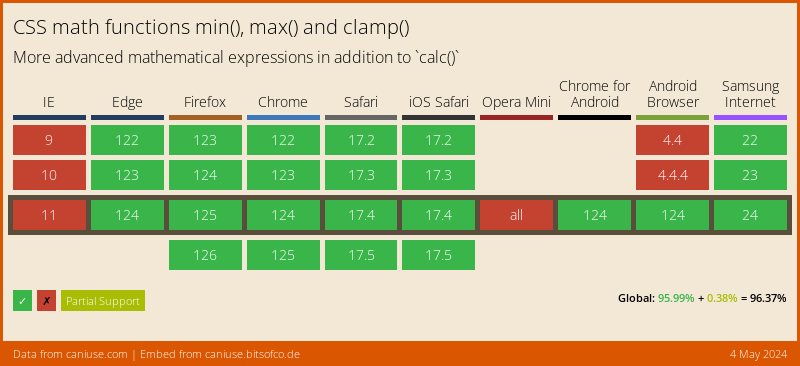
PostCSS plugin to transform clamp() to combination of min/max.
This plugin transform this css:
.foo {
  width: clamp(10px, 4em, 80px);
}
into this:
.foo {
  width: max(10px, min(4em, 80px));
}
Or with enabled options precalculate:
.foo {
  width: clamp(10em, 4px, 10px);
}

/* becomes */

.foo {
  width: max(10em, 14px);
}
Instalation
$ npm install postcss postcss-clamp --save-dev
or
$ yarn add --dev postcss postcss-clamp
Usage
Use PostCSS Clamp as a PostCSS plugin:
const postcss = require('postcss');
const postcssClamp = require('postcss-clamp');

postcss([
  postcssClamp(/* pluginOptions */)
]).process(YOUR_CSS /*, processOptions */);
PostCSS Clamp runs in all Node environments, with special instructions for:
| Node | PostCSS CLI | Webpack | Create React App | Gulp | Grunt |
|---|
See PostCSS docs for examples for your environment.
Options
precalculate
The precalculate option determines whether values with the same unit
should be precalculated. By default, these are not precalculation.
postcssColorHexAlpha({
  precalculate: true
});
The second and third value has the same unit (px):
.foo {
  width: clamp(10em, 4px, 10px);
}

/* becomes */

.foo {
  width: max(10em, 14px);
}
Here all values have the same unit:
.foo {
  width: clamp(10px, 4px, 10px);
}

/* becomes */

.foo {
  width: 24px;
}
LICENSE
See LICENSE